Opens straight to your plan
No account, no sign-up and no welcome tour. The app opens on the Plan tab, and your plan, its totals and its health checks are worked out on your iPhone. The budget comes with the app.
Sign-in is asked for when you open something that needs our server: connecting a bank, the Tips log, Lists & events, the FAFSA tracker and other server tools. Those need Sign in with Apple plus a second factor (a code app or two security keys), and the sign-in sheet has a Not now button.
How sign-in is protected: The Vault
Paycheck to plan
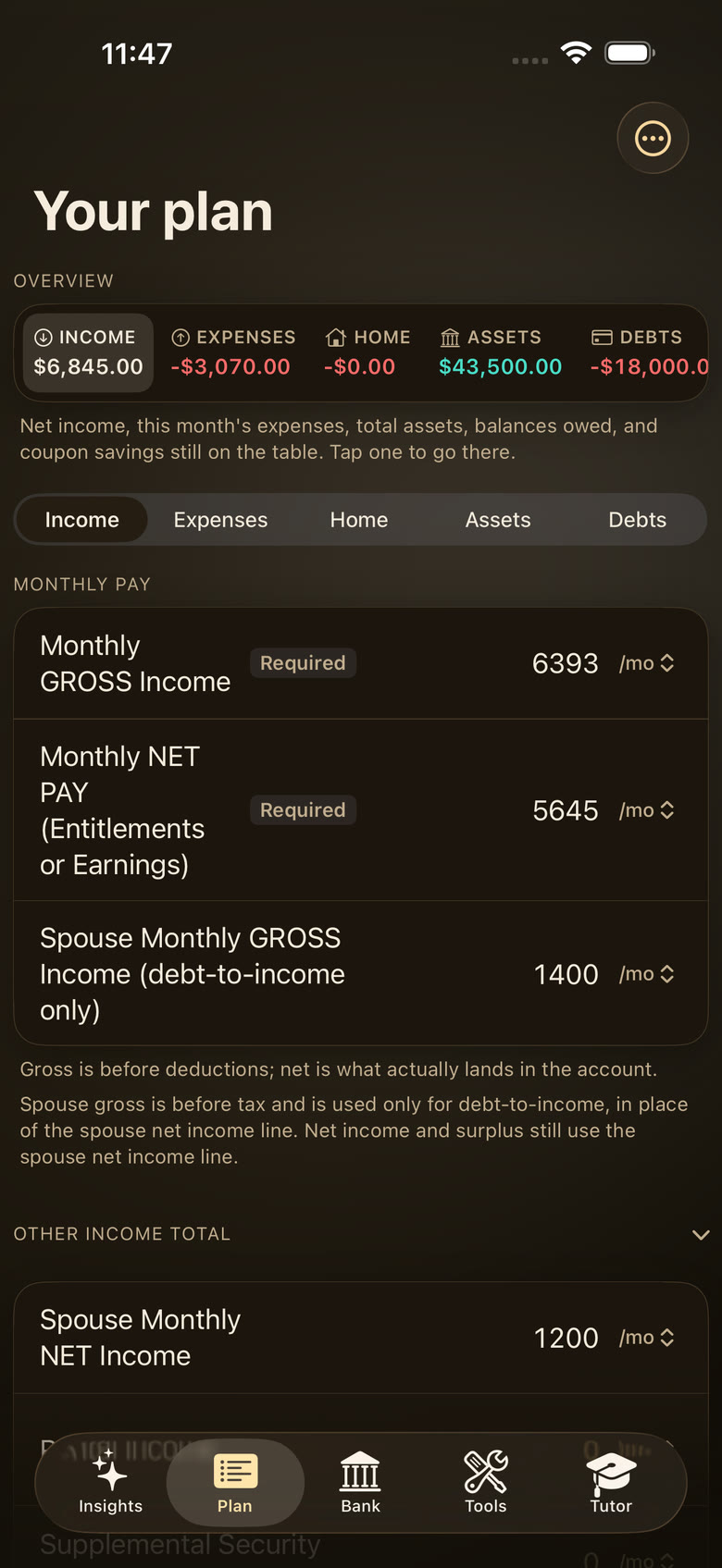
The Monthly pay card holds three numbers: your monthly gross income, your monthly net pay, and a spouse’s monthly gross (used for debt-to-income). Its caption says it plainly: “Gross is before deductions; net is what actually lands in the account.”
A Deductions section records taxes, other deductions and allotments. The monthly surplus is worked out from net pay.
You type your net pay. The app doesn’t read pay stubs or work out tax withholding.
19 other-income lines
Other income has a line for each source, from a spouse’s net pay, VA disability and the GI Bill to tips, Social Security and SNAP.
All 19 lines
- spouse’s net pay
- rental income
- SSI
- VA disability compensation or pension
- child support or alimony
- GI Bill and other sources
- part-time or side job
- tips
- Social Security
- pension, annuity or retirement withdrawals
- interest and dividends
- unemployment
- self-employment profit
- workers’ comp
- TANF
- money from family or friends
- tax refunds (yearly ÷ 12)
- winnings (self-reported)
- SNAP (non-cash)
Some lines carry plain notes, such as “SSI and Social Security are different programs.”
27 expense sections
Every common cost has a home: rent or mortgage, utilities and home upkeep, transportation and fuel & charging, groceries and dining, health insurance and pharmacy, kids & childcare, pets, education, clothing, travel, gifts and giving.
Rows carry plain-language notes, such as “Your bank cannot tell diesel from gasoline.” The giving note points to IRS Publication 526 and gives no tax advice.
Any amount, any frequency
Each income and expense line has a How often picker: weekly, every two weeks, twice a month, monthly, quarterly or yearly. The plan turns it into a monthly amount and shows it under the field.
Show the math
monthly = amount × times a year ÷ 12
$600 × 26 ÷ 12 = $1,300/month
Example $600 paid every two weeks (26 times a year). Totals use the exact figure and round only for display.
Debts by type
Adding a creditor asks for the type first: 18 types in 8 groups, from fixed and adjustable mortgages, HELOCs and auto loans to student loans, credit cards, medical bills, IRS or state tax payment plans, buy now pay later, payday or title loans, 401(k) loans and loans from family or friends. A row without a type gets a Choose a type chip and is never counted as card debt.
Each row records who it belongs to (Me, Spouse or Joint), the city and state of a property loan, and the make, model and year of a vehicle loan. Tags never change a total. If you correct a linked card’s APR or payment, your number stays.
Tips log
Sign-in
For servers, drivers and anyone who earns tips: log shifts, payouts and tip-outs and see the trends, with state minimum-wage references for 50 states plus DC. A switch, off until you turn it on, writes your tips into the plan’s Tips row.
BAH + Cost of Living
Pick a branch (Army, Navy, Air Force, Marine Corps, Space Force or Coast Guard), a paygrade, with or without dependents, and a five-digit ZIP code. The lookup shows the monthly Basic Allowance for Housing with “Where this rate comes from”, then nearby costs: electricity, natural gas, gasoline, diesel, food, two-bedroom rent and HOA fees. The plan also has a TSP balance field.
Labeled “A reference calculator, not your pay.” The BAH rates are a third-party transcription of the 2026 rate files, not yet checked against the official publication. The cost-of-living figures are a fixed snapshot of state, regional and national averages. Electricity is an all-sector state average, not a household rate, and rent is shown only for ZIP codes in HUD Small Area FMR metros. The lookup needs our server.
 SI Money Tracker